 APEX RACING← All projectsAPEX RACING← All projects
Realistic driving physics, full crash damage with explosions, online multiplayer, and controls you can remap to any keyboard, gamepad, wheel or pedals.
Download for Windows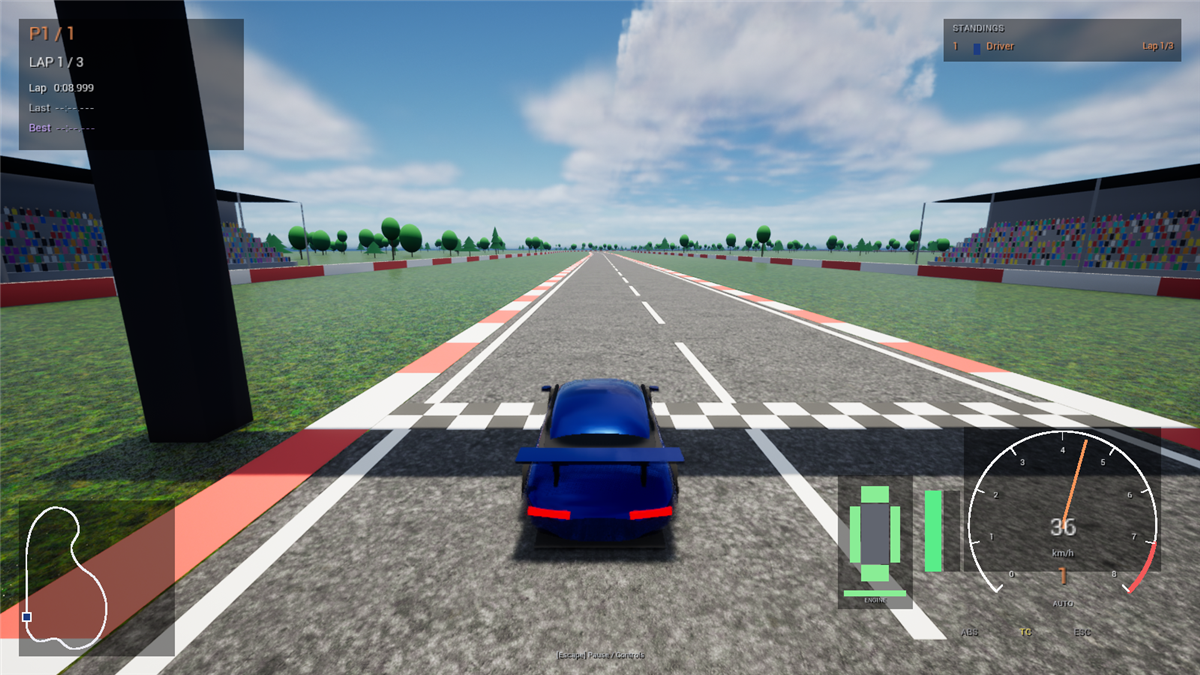
Suspension, tyre grip and slip, engine torque curve, gearbox, differential, downforce, ABS, traction and stability control.
Dented bodywork, parts and wheels flying off, smoking engines, fires and explosions - and it changes how the car drives.
Rebind everything. Keyboard, Xbox pad, steering wheel and USB pedals all supported.
Can't connect? The host's router is probably blocking it. Easiest fix: everyone installs the free Radmin VPN, joins the same network, and joins by the host's Radmin IP. Or the host forwards UDP port 7777 on their router.
| W / S | Accelerate / brake (brake from a stop = reverse) |
| A / D | Steer |
| Space | Handbrake |
| Q / E | Shift down / up (manual gearbox) |
| R | Reset onto the track (also repairs the car) |
| C V | Change camera · look back |
| Esc | Pause menu - Controls, Options, Graphics quality |